Select this banner: 6 easy steps to assess every church member for ministry fit! | Select to Learn More |
Learn to Assess Every Church Member for Ministry Fit
JUMP LINKS:
>> Our History
>> Get Started in 6 Easy Steps
OUR ASSESSMENTS’ PURPOSE, DISCOVERING MINISTRY FIT:
AssessME.org is designed to empower your church, regardless of size, to assess every member for ministry fit. Our assessments provide professional human resource data exclusively for the church and parachurch markets. Even more to the point, we designed our assessments to support the Biblical mission of MAKING and MOBILIZING disciples of Jesus Christ into Kingdom service. Our automated and manual search engines make finding the right person for any position a breeze. Below is our all-inclusive Mobilization Assessments:




Below is our NextSteps Discipleship Tracking Program included within every ministry account…this program is designed to assess, track, and equip people to grow spiritually. NextSteps is 98% customizable and may be turned-off until your version of NextSteps is ready to be revealed.

OUR ASSESSMENTS’ HISTORY:
Work on our assessments started in 1995, when David A. Posthuma was a church planting pastor. By 2002, he felt called by the Lord to create a professional assessment system with a database and reports. That same year, he shared his idea with James Wiersma, a skilled web programmer David had worked with since 1998, and they then started E-Church Essentials, LLC.
They tested the assessments in 2002, and by 2003 they were available to the public. From 2003 to 2005, they made small changes to improve wording as client feedback dictated. Today, AssessME.org has served thousands of churches in 35 countries. Some of our largest churches have used it to assess more than 10,000 people! Bottom line: AssessME.org is a well-tested program your church can trust to provide the information you need!
Please note: AssessME.org is an all-in-one program. We believe each assessment gives important information to help place the best people within the correct service position. It also shows each person’s level of spiritual growth. Once registered, your ministry will have access to all of the assessments listed below.
We Believe Every Assessment Is Essential for Discovering Ministry Fit…More Data, Better Results!


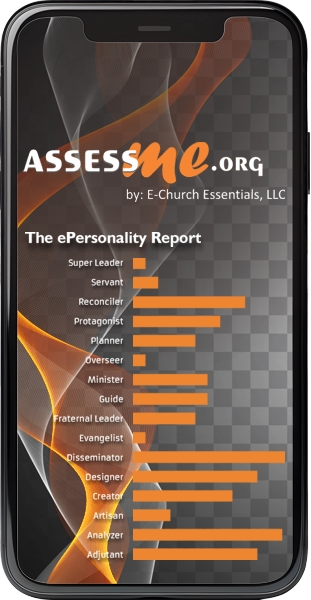
Our Insightful Personality Assessment
Help your church members understand God’s intentional design for their lives and ministry.


Our Personality Filtered Spiritual Gifts Assessment
A temperament filtered spiritual gifts test for your church clarifies how a gift is best used.

Our Leadership Style Assessment for Teambuilding
An assessment designed to help church leaders build effective teams.

Our Intuitive Skills Tracking Program
In Exodus 31, God take credit for giving us our skills…i.e., O.T. spiritual gifts. Let’s keep track of all the skills God has given His church.

Our Revolutionary Discipleship Tracking System
Our revolutionary program assesses & equips your people’s spiritual formation.

Ministry Philosophy
Detailed White Papers
Get ready to dig deep into white papers and videos which explain our ministry philosophy.
6 Easy Steps to Assess Church Members for Ministry Fit!
STEP 1A: INVITE PEOPLE, METHOD 1
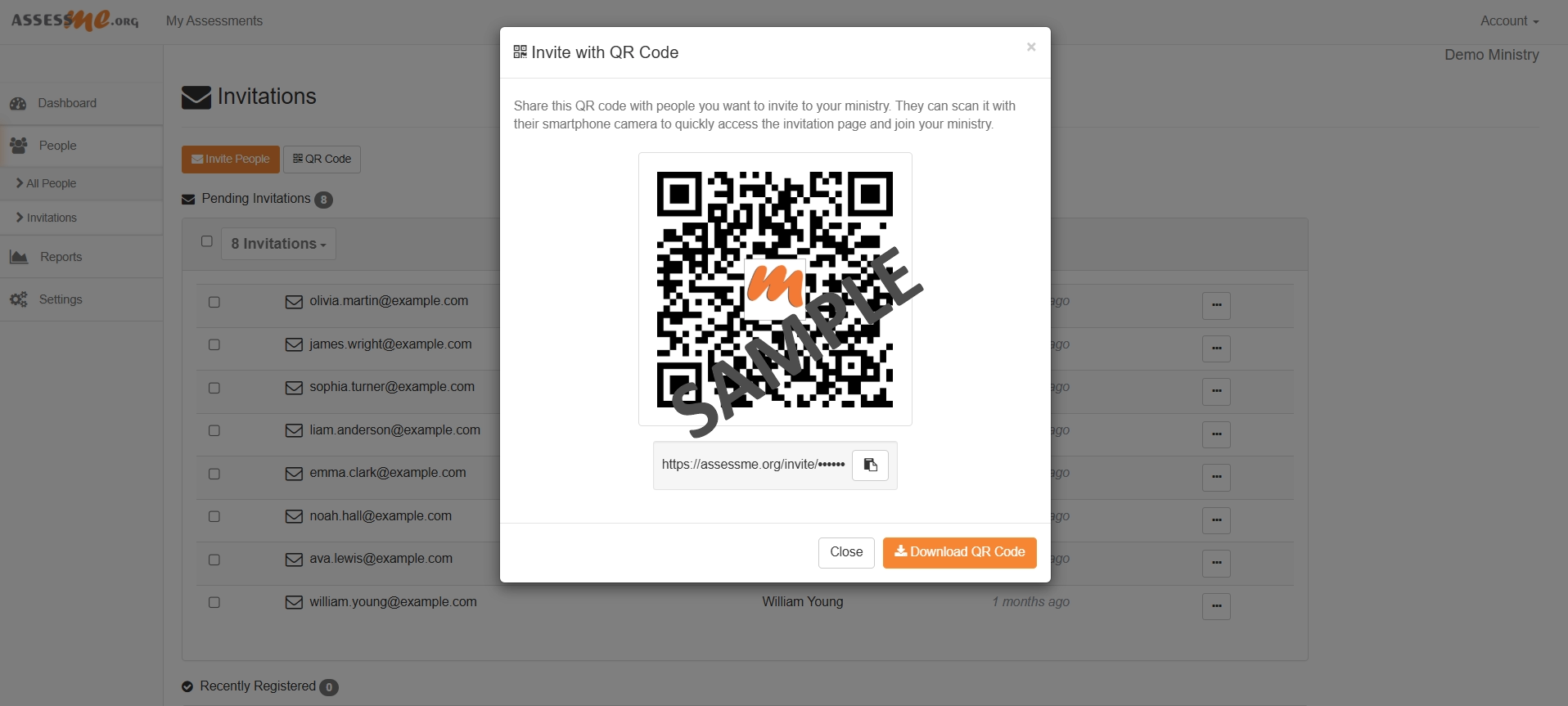
More to consider, your church’s ministry account will create a custom QR code for you designed to make member registration easy. Then, you can download it and use it within slides, on big screens, on banners, in your church program, or any other way you can imagine.
SUMMARY: This is a quick and safe way to help your people sign up and start taking their assessments.
STEP 1B: INVITE PEOPLE, METHOD 2
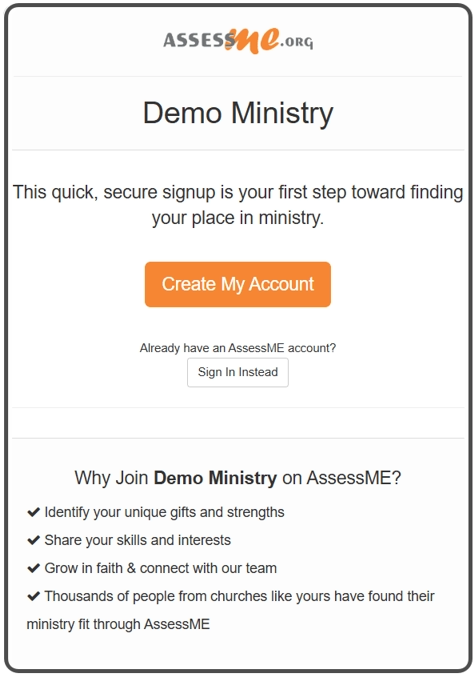
Additionally, use our mass email system to invite your people to sign up and complete their assessments. Then simply paste your church’s email list into our email address field and send a default invitation message that includes your church’s name (See sample to the left).
Its so easy, each registrant creates and manages their own account. So, your job is merely to invite them to sign up! In fact, some of our largest churches have assessed over 10,000 people using this tool!
Moreover, the Email Invitation System keeps track of who has replied to your invitation. When someone registers, the system then removes them from the invite list, so your staff can focus on sending reminders only to people who may not have yet responded to your initial invite.
Most people will respond well—especially if you let them know ahead of time to watch for the email invitation.
SUMMARY: For example, most churches get the majority of their members signed up and completing their assessments within two to three weeks. Then, for the first time ever, your leaders will have instant access to this vital human resource data.
STEP 2: MANAGE MEMBERS
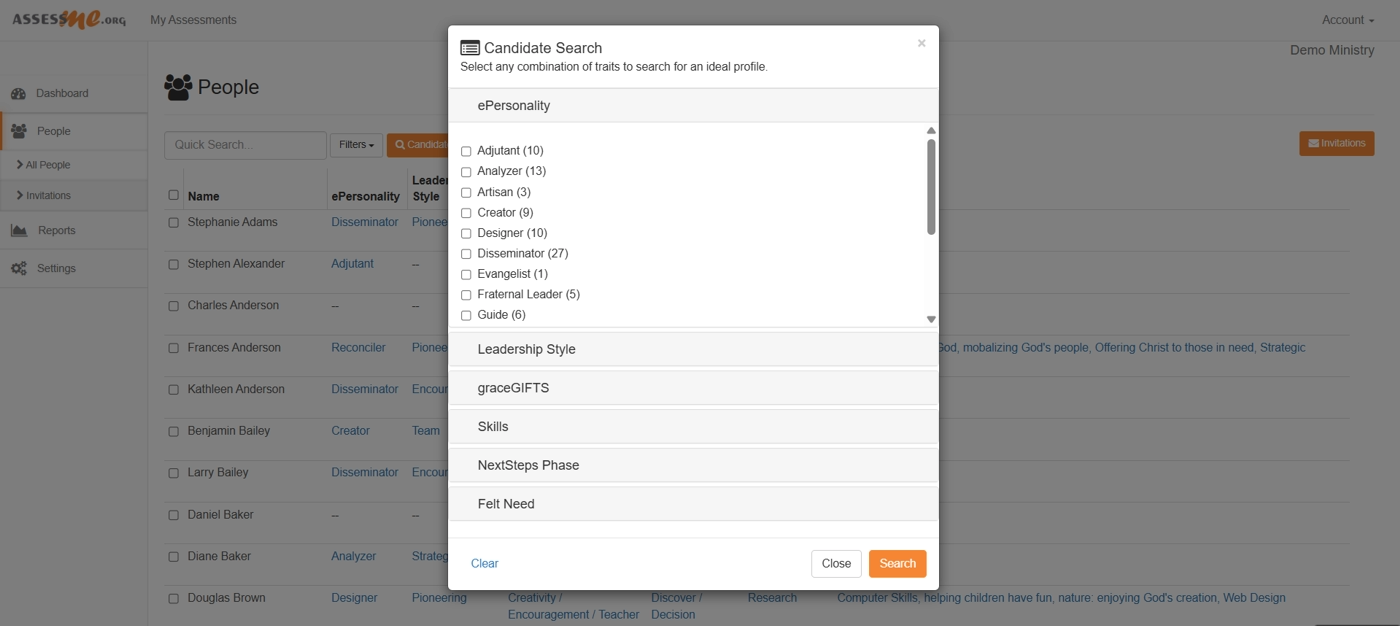
Our People Management screen also lets you see who have completed their assessments. You may also view their reports. Finally, you may use the Manual Candidate Search Tool to help you find the right people for any role.
So, how does it work? For example, use the search engine to create an ideal profile. Such as selecting any combination of personality, gifts, leadership style, skills, and even spiritual maturity. The system will then show you the people who best match your profile.
Consequently you will now have a short list of people your leadership may proactively approach, encourage them to prayerfully consider if the Lord has been preparing and prompting them to serve.
SUMMARY: For example, learn how to manage people, view reports, promote people to Admins, remove people from Your database, and search for candidates, all from the People Management Screen.
STEP 3: AUTOMATED MOBILIZATION REPORTS
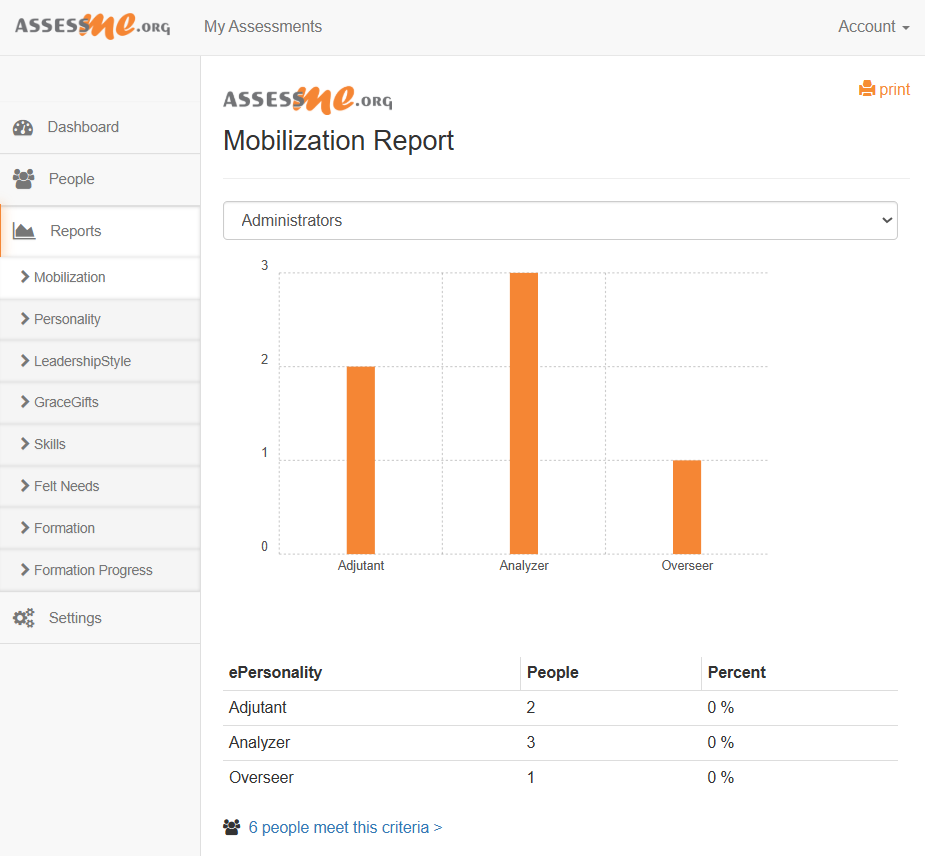
Furthermore, as your database grows and people finish their assessments, the Automated Mobilization Reports will start working.
In brief, this automated program looks at each person’s results across multiple assessments and skills. Then, it finds the most validated people for many ministry categories.
In Conclusion, our ministry categories include:
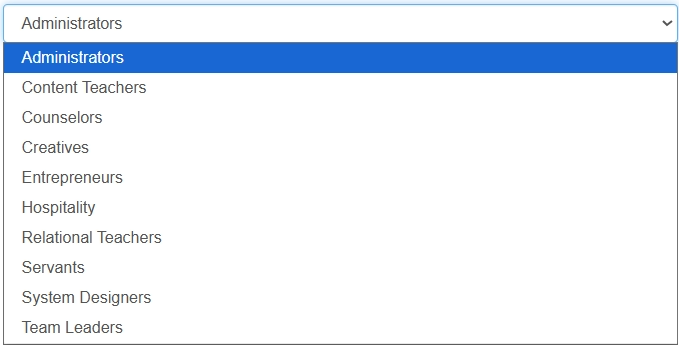
SUMMARY: These categories are intentionally broad because they are considered “People Types“. For example, the automated system will not suggest someone serve specifically as a greeter (consider Hospitality and Servant types for this role). But they do give your staff clear categories of people that every church needs.
STEP 4: GET MINISTRY LEADERS BETTER EQUIPPED
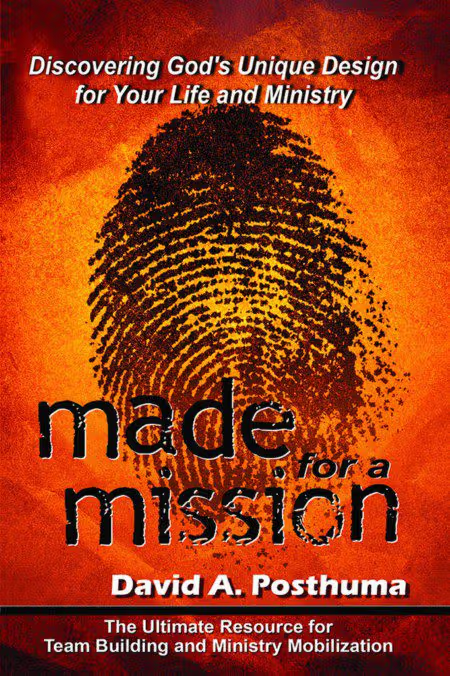
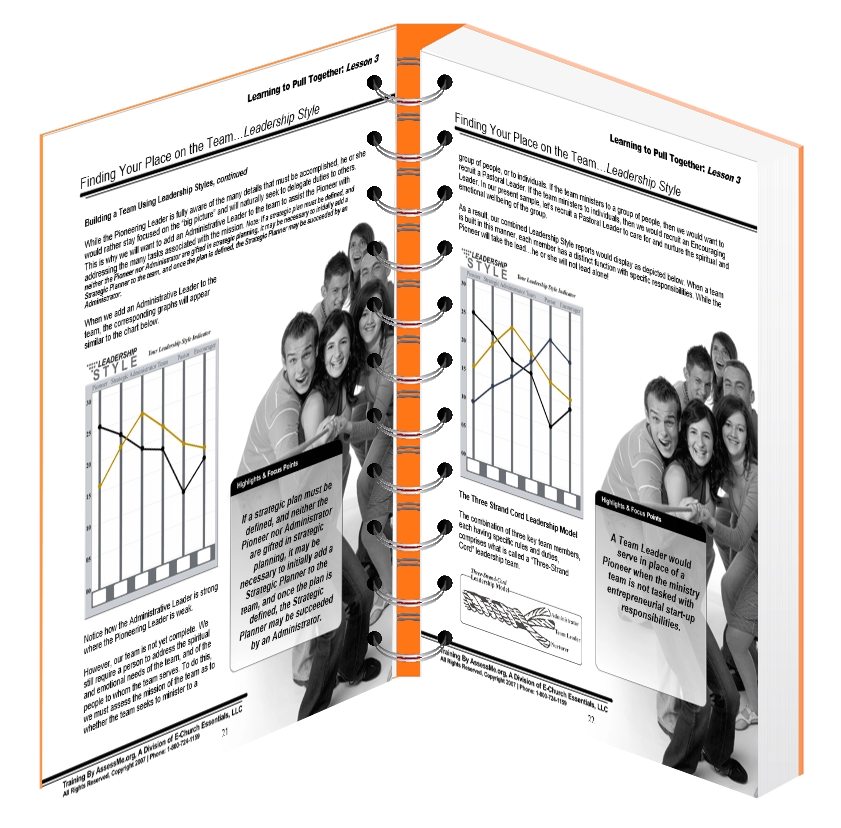
David A Posthuma, designer of the AssessME.org assessments, authored Made for a Mission to serve as our main training tool for church staff and key leaders who recruit and manage volunteers.
This book helps you learn how to use our assessment results in real ministry situations. It introduces temperament theory principles without getting highly technical.
STEP 5: Launch A Sermon Series
Our Pastor’s kick-off Kit introduces our assessments to your congregation through a highly impactful sermon series. Your staff can edit it, add to it, or remove parts as needed.
Sessions Include:
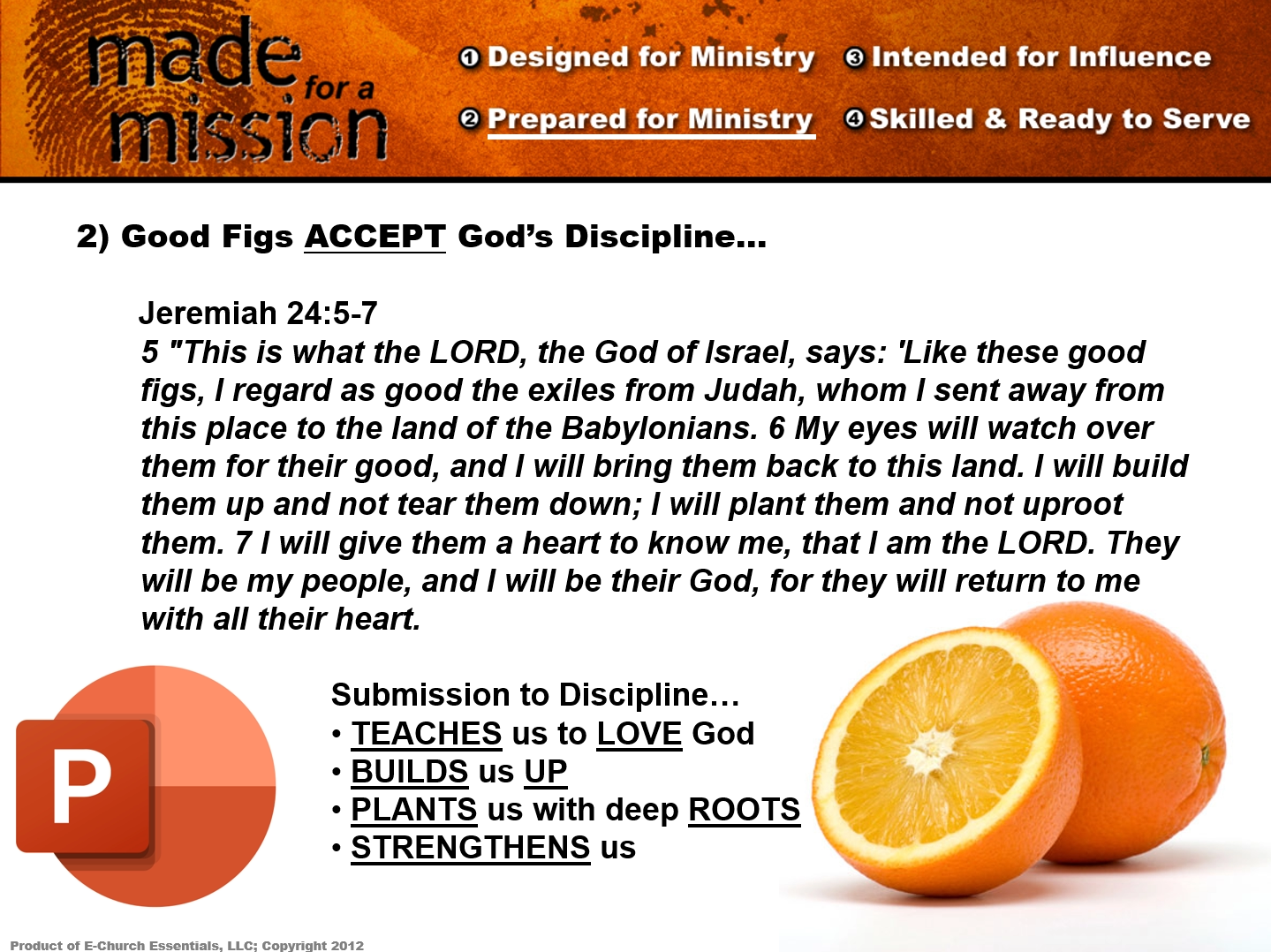
- Sunday 1 – Designed for Ministry, Introduce Personality
- Sunday 2 – Prepared for Ministry, Introducing Giftedness
- Sunday 3 – Intended for Influence, Introduce Leadership Styles
- Sunday 4 – Skilled & Ready to Serve, Introduce God-Given Skills


All of the material comes from the book Made for a Mission. The workshop includes:
- A Teachers Guide, PDF
- Congregation Notes, PDF
- PowerPoint Presentations
STEP 6: GET YOUR PEOPLE BETTER EQUIPPED
Our Pastor’s Class Kit utilizes our assessments as part of a full training workshop. We encourage all seminar attendees to complete all assessments before attending. Your staff can edit the workshop materials, re-brand it, add to it, or remove parts as needed.
It is made to be taught in one day. It runs from 10:00 a.m. to noon, then breaks for lunch, and continues from 1:00 p.m. to 4:00 p.m.
This workshop helps people understand how God made them for life and ministry. It also teaches them about different types of people and how the whole Body of Christ works together.
Sessions Include:
- Session 1 – God Designed Temperament, 2 hours
- Lunch Break
- Session 2 – Leadership Style, 1, hour
- Session 3 – Spiritual Gifts & God Designed Temperament, 1 hour
- Session 4 – Skills and God Designed Temperament, 1, hour
All of the material comes from the book Made for a Mission. The workshop includes:
- A Leader Guide
- A Student Workbook
- PowerPoint Presentations
Find Us At Ministry Conferences
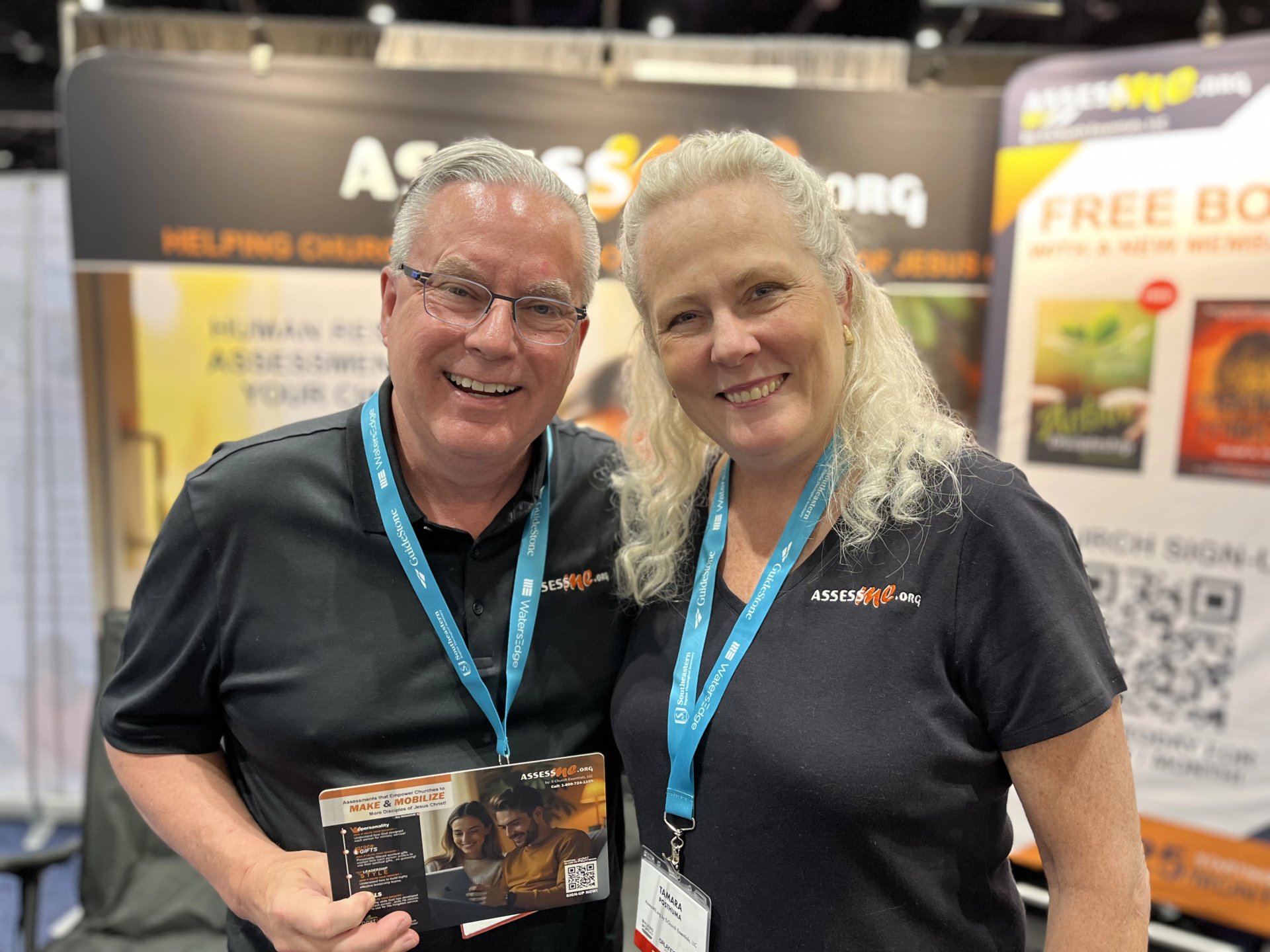
Please look for us and say “Hi” to owner David A Posthuma and fellow team members. Here below, is David and Tamara Posthuma at the 2026 Southern Baptist Convention Conference in Orlando, Florida. Our next conference event will be The Michigan District of the Lutheran Church–Missouri Synod (LCMS) hosts its annual All Pastors Conference 2026 from October 4–6, 2026